
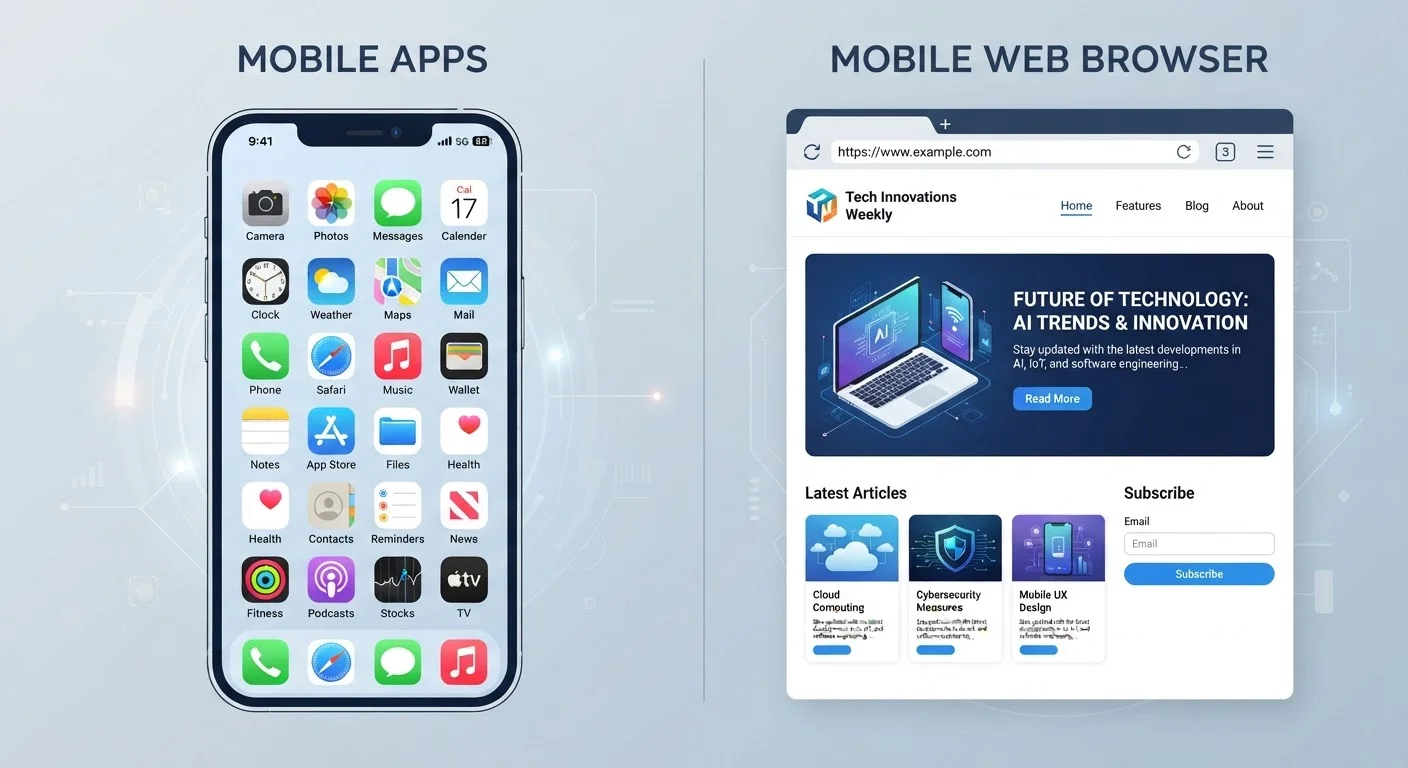
How Each One Actually Runs on Your Phone
The most fundamental difference between a native app and a mobile website has nothing to do with how they look — it's where and how the code runs.
A native app is software installed directly onto your phone's operating system, whether that's iOS or Android. It's compiled to work with that specific platform, which means it can talk directly to your device's hardware and built-in features. When you tap an app icon, it launches from local storage — no internet connection required to get it running.
A mobile website lives on a remote server and is delivered to your browser — Chrome, Safari, Firefox — when you type in or tap a URL. Your browser interprets the code (HTML, CSS, JavaScript) in real time and displays the result. The website itself doesn't install anything on your phone; only your browser handles the rendering.
This distinction matters because it shapes everything downstream: performance, offline capability, privacy, and what data the service can reach on your device.
| Criterion | Native App | Mobile Website |
|---|---|---|
| Where code runs | Directly on device OS | Inside a browser, via server |
| Installation required | Yes — downloaded and installed | No — opens in browser |
| Hardware access | Deep (camera, GPS, sensors, background) | Limited (browser-gated permissions) |
| Offline capability | Often available with cached data | Generally requires internet connection |
| Performance | Typically faster, more responsive | Improving; depends on connection speed |
| Updates | Manual; separate iOS and Android builds | Automatic; one version for all platforms |
| Storage usage | Uses device storage | No local install; minimal browser cache |
| Privacy exposure | Higher (more permissions possible) | Lower (browser acts as gatekeeper) |
Hardware Access, Permissions, and Privacy
One of the clearest practical differences shows up when an app or website wants to use your phone's camera, location, or contacts.
Native apps request device permissions at install time or first use. When granted, they can access GPS for real-time navigation, the microphone for voice input, the accelerometer for motion tracking, and background processes that keep running even when you're not actively using the app. That depth of integration is genuinely useful — but it also means more of your device's data is potentially in play. Our guide to app permissions explains exactly what each permission type exposes and how to evaluate whether to grant it.
Mobile websites can also request some permissions through the browser — location access being the most common — but the browser acts as a gatekeeper. It limits how persistently and deeply a website can interact with your hardware, compared to a native app. For example, a mobile website generally cannot run background processes or continuously track your location after you close the tab.
If you're mindful about data sharing, that browser intermediary provides a meaningful layer of separation. Worth noting: deleting an app doesn't always erase your data from company servers — a consideration regardless of which format you're using.
Progressive Web Apps Blur the Line
A third option — the Progressive Web App (PWA) — sits between native apps and traditional mobile websites. PWAs are websites that can be saved to your home screen, work offline to a degree, and send push notifications, but they still run through the browser engine. They don't have the same depth of hardware access as a true native app. Many companies now offer PWAs as a middle path that avoids the App Store entirely while delivering a more app-like experience than a standard mobile website.
Performance, Storage, and Offline Use
Native apps have a performance edge for most everyday tasks. Because the core code lives on your device and is optimized for the platform, interactions tend to feel snappier. Animations are smoother, loading times are shorter, and the app can prefetch or cache content so it's ready when you need it.
Mobile websites have improved dramatically with modern browser technology, and many are indistinguishable from apps in basic use. However, they depend on a live network connection for most operations, and rendering happens in real time — which can introduce lag on slower connections. Our overview of Wi-Fi vs. mobile data tradeoffs is relevant here if you're weighing which connection type to rely on.
Apps also consume local storage. For light users or people with limited phone storage, a mobile website that requires nothing installed can be the more practical choice.
~55%
Mobile internet time spent in apps vs. browsers
Research from various mobile analytics firms has consistently found that users spend a majority of mobile internet time inside native apps rather than browsers, though this varies significantly by activity type.
2–3×
Faster app load times vs. equivalent mobile web pages
Performance benchmarks from web and mobile research groups commonly show native apps loading core content significantly faster than their mobile website counterparts on equivalent hardware.
One nuance worth knowing: background activity. Some apps quietly run processes — syncing data, checking for notifications — even when you're not using them. This can affect battery life and data usage in ways that aren't always obvious. Signs your app is draining battery or data in the background walks through how to identify and address that.
Updates, Compatibility, and Long-Term Maintenance
Mobile websites update automatically — when the company pushes a change to their server, every user sees it instantly the next time they load the page. There's nothing to install, nothing to update manually, and no version fragmentation. This also means mobile websites work across every operating system and browser without the company needing to build separate versions.
Native apps require users to download updates, and companies must maintain separate codebases for iOS and Android. If you're running an older app version, you may encounter bugs that are already fixed in the current release — or features that require the update to work. On the flip side, this separation also means updates go through App Store or Google Play review processes, which adds a layer of security vetting before code reaches your device.
Understanding how browsers store and handle data locally is also worth knowing if you use mobile websites heavily. Browser storage — cookies, cache, and local data breaks down what accumulates in your browser and why it matters.
