
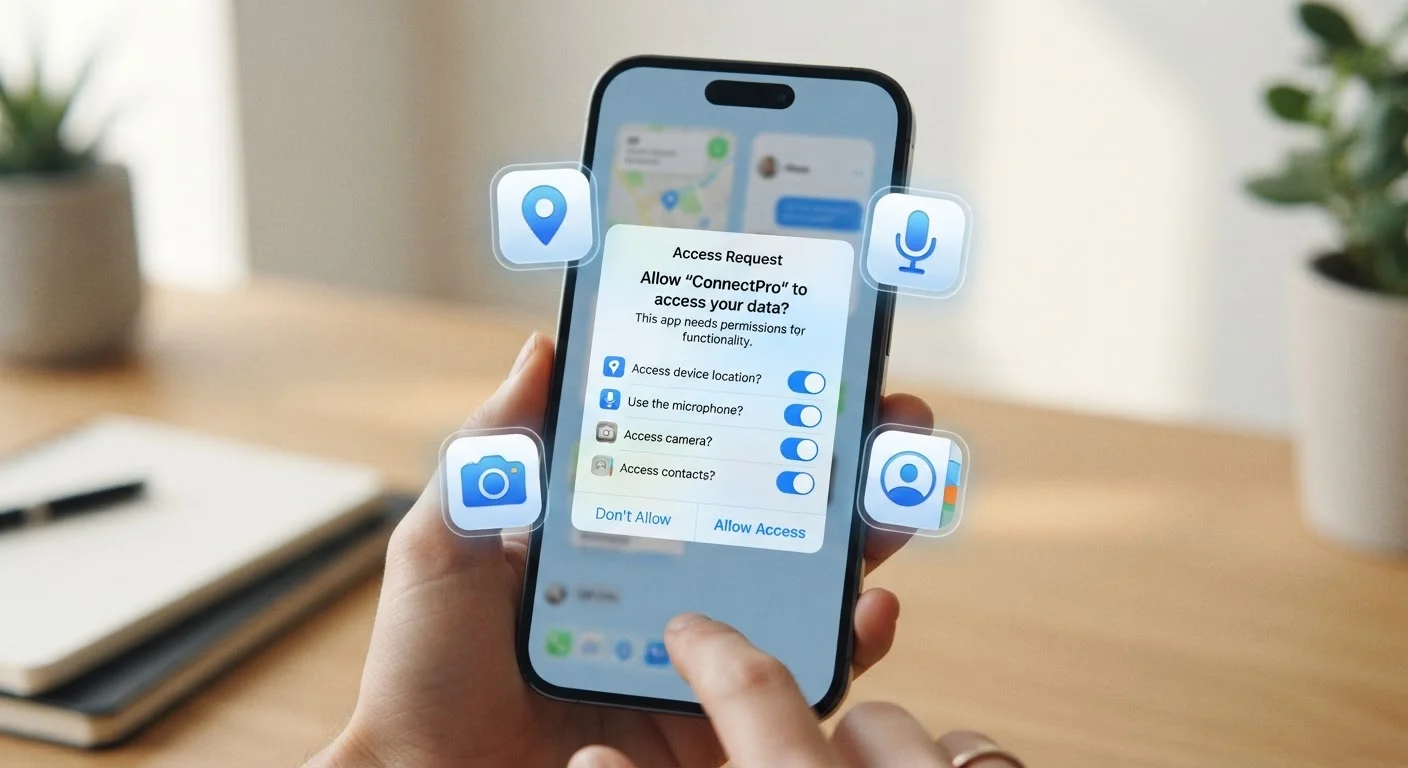
Why Apps Ask for Access in the First Place
Every app is designed with a specific purpose, and many features require access to hardware or data that lives outside the app itself. A ride-sharing app needs your location. A messaging app needs your contacts. A video calling app needs your camera and microphone. These are legitimate use cases where the permission directly serves the function you're asking the app to perform.
The problem is that not every permission request is this straightforward. Some apps request access to data they don't strictly need — often to serve targeted advertising, build behavioral profiles, or share data with third-party analytics services. Because permission dialogs can feel routine, most people tap "Allow" without thinking twice.
Understanding the difference between a necessary permission and an opportunistic one helps you make smarter choices without over-restricting apps you genuinely rely on.
Treat the First Launch as Your Audit Moment
The first time you open a new app is the best opportunity to be deliberate about permissions. Take a few extra seconds to read each prompt before tapping Allow. If a request seems unrelated to the app's purpose, deny it — you can always grant access later if you find you actually need that feature.
The Most Common Permissions — and What They Actually Mean
Here's a plain-language breakdown of the permissions you'll encounter most often:
- Location: Lets the app know where you are, either while you're using it or continuously in the background. Most apps only need "While Using" access, not "Always."
- Camera: Allows the app to activate your camera. Messaging, photo, and video apps have clear reasons for this; most others do not.
- Microphone: Enables the app to record audio. Voice-based apps and video callers need this; a shopping app asking for microphone access is worth a second look.
- Contacts: Grants access to your entire address book, including names, phone numbers, and email addresses — not just your own. This data often gets uploaded to company servers.
- Photos / Media: Lets the app view or upload images and files stored on your device. Social apps need this to let you share photos; other apps may not.
- Notifications: Allows the app to send you push alerts. This is low-risk in terms of data, but can affect your focus and attention.
- Bluetooth: Used by apps that connect to wearables, speakers, or nearby devices. Some apps also use Bluetooth signals to track your physical location indoors.
For a deeper look at how these settings fit into your overall privacy setup, see device privacy settings worth adjusting for a curated walkthrough across phones and connected devices.
iOS and Android Handle Permissions Differently
Apple's iOS tends to ask for permissions in the moment — when you trigger a feature that needs access — rather than all at once during install. Android has evolved similarly over recent versions, but older Android apps may still request a bundle of permissions upfront. The permission categories themselves are largely the same across both platforms, though the wording in dialogs can vary.
How to Decide What to Grant or Deny
A useful mental framework: ask whether the permission is required for the core feature you want, or just convenient for the company. Location access in a weather app is useful. Location access in a barcode scanner is not.
A few practical guidelines:
- Start restrictive. Deny permissions initially and grant them only when the app prompts you during a specific action that makes the need obvious.
- Choose the least-permissive option. When offered "Always," "While Using," or "Never," default to "While Using" for location-sensitive apps.
- Review periodically. Apps you installed months ago may have permissions you forgot about. Both iOS and Android make it easy to audit this in Settings.
- Be skeptical of mismatched requests. A flashlight app asking for your contacts, or a game requesting microphone access, is a red flag.
It's also worth knowing that app permissions are distinct from what a mobile website can access — native apps vs. mobile websites covers why installed apps generally have broader access to your device than a browser-based experience.
45%
Apps requesting location access they may not need
Research from privacy analysis firms has consistently found that a significant share of apps request location data beyond what their core function requires.
3 in 4
Smartphone users who rarely review app permissions
Surveys on mobile privacy behavior suggest most users approve permission requests at install time and rarely revisit them afterward.
What Happens After You Grant a Permission
Granting a permission opens a channel between the app and that part of your device. Depending on the app's design and its privacy policy, the data accessed through that channel may be processed locally, stored on company servers, or shared with third-party advertising and analytics partners.
Revoking a permission cuts off future access but does not erase data already collected. If you're concerned about what a company has already gathered, that's a separate matter involving their data retention and deletion policies — something worth reviewing before installing an app in the first place. What happens to your data when you delete an app explains the full picture of what persists after you remove an app from your phone.
Apps that retain broad permissions — especially location or microphone access — can also contribute to battery drain and background data usage. Signs an app is draining your battery or burning through data walks through how to spot and address those issues.
