
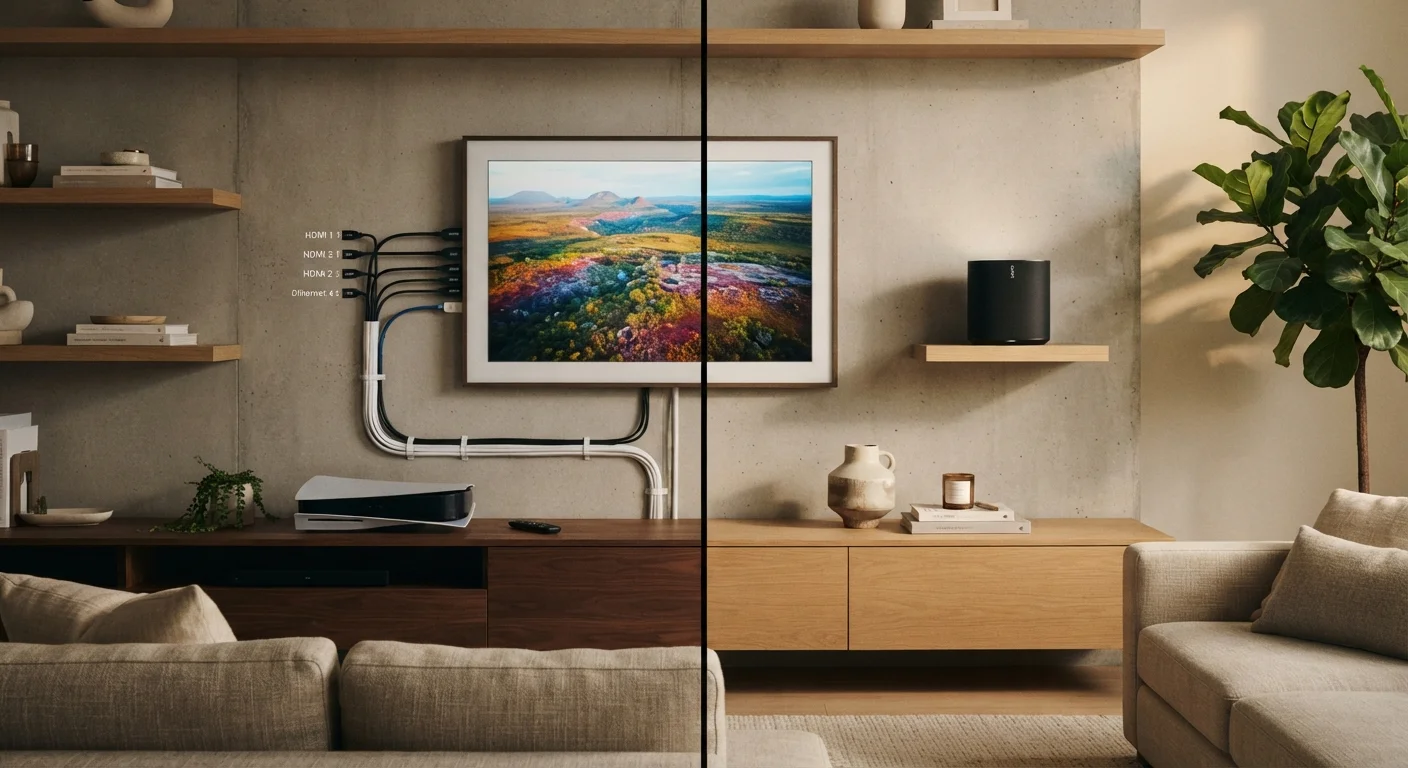
What Each Approach Actually Means
"Wired" in home entertainment covers several distinct technologies: HDMI carries both high-definition video and audio over a single cable; optical (Toslink) cables transmit digital audio from a TV to a soundbar or receiver; and Ethernet delivers internet data from your router to a streaming device or smart TV. Each carries a signal without compression or interference from the environment.
"Wireless" is equally varied. Wi-Fi streams video and audio data over your home network — from a router to a streaming stick, smart TV, or wireless speaker system. Bluetooth connects headphones, soundbars, and speakers over short ranges without a network. These two wireless technologies behave differently and carry different trade-offs. For a deeper look at every term you'll encounter wiring up a home theater, see our home entertainment systems explainer.
| Criterion | Wired | Wireless |
|---|---|---|
| Signal reliability | Very high — unaffected by interference | Variable — depends on environment |
| Audio/video latency | Minimal (single-digit milliseconds) | Low (Wi-Fi) to noticeable (Bluetooth) |
| Maximum bandwidth | Very high (HDMI 2.1: up to 48 Gbps) | Lower; compression typically applied |
| Setup flexibility | Limited by cable length and routing | High — place devices anywhere in range |
| Installation complexity | Higher — cable management required | Lower — plug in and connect |
| Multi-room audio | Requires physical cable runs | Easy via Wi-Fi speaker ecosystems |
| Renter-friendliness | Limited if wall work isn't possible | High — no permanent installation needed |
Where Wired Connections Have a Real Edge
The case for cables isn't nostalgia — it's physics. HDMI 2.1, for example, supports bandwidth up to 48 Gbps, enough to carry uncompressed 4K at 120 frames per second with full HDR. No current wireless standard matches that throughput without compressing the signal first. Compression is often invisible at typical viewing distances, but it represents a trade-off that wired connections simply don't make.
Latency is the other major differentiator. A wired HDMI connection between a gaming console and a TV introduces only a few milliseconds of signal delay. Bluetooth audio can add 100–250 milliseconds depending on the codec in use — enough to cause lip-sync issues you'll actually notice during dialogue or live content. If you're comparing this specifically for headphone use, our wired vs. Bluetooth headphones breakdown covers that angle in detail.
Ethernet for internet delivery is similarly straightforward: a physical connection to your router bypasses Wi-Fi congestion entirely. In apartments or dense neighborhoods where a dozen competing networks overlap, wired internet can be meaningfully more stable for uninterrupted 4K streaming.
100–250 ms
Typical Bluetooth audio latency range
Standard Bluetooth (SBC codec) introduces this delay; aptX Low Latency and LE Audio codecs reduce it significantly, though device support varies.
48 Gbps
HDMI 2.1 maximum bandwidth
This is enough to carry uncompressed 4K at 120fps with full HDR — a ceiling no current wireless AV standard reaches without compression.
~30 ft
Practical indoor Bluetooth range
Bluetooth Class 2 devices (most consumer audio gear) reliably connect within roughly 30 feet; walls and interference reduce this further.
Where Wireless Genuinely Wins
Cables are inflexible by definition. Running HDMI or Ethernet across a room often means hiding wire in wall conduits, under rugs, or along baseboards — none of which are trivial. For renters, wall-fishing cables isn't usually an option at all. Wireless setups sidestep this entirely.
Modern Wi-Fi — particularly Wi-Fi 6 (802.11ax) — handles streaming video comfortably for most households. A well-placed router or mesh node can deliver reliable 4K streaming to multiple devices simultaneously without a cable in sight. For guidance on how router type affects whole-home coverage, the mesh networks vs. traditional routers comparison is worth reading.
Multi-room audio is where wireless shows its clearest practical advantage. Wi-Fi-based speaker ecosystems let you place audio in any room without structural work. Bluetooth works well for personal listening in close range. Neither requires you to thread cable through walls or manage wire runs across open floor space.
Powerline Adapters: A Middle-Ground Option
If running Ethernet cable through walls isn't feasible, powerline adapters offer a wired-quality connection using your home's existing electrical wiring. You plug one adapter into an outlet near your router and another near your TV or streaming device. Performance varies depending on wiring age and circuit layout, but many households find it significantly more stable than Wi-Fi alone. It's worth knowing this option exists before committing to a full Wi-Fi upgrade.
How to Think About Your Own Setup
The most effective home setups usually aren't purely one or the other. A reasonable approach: use wired HDMI between your TV and any device that's permanently docked — a receiver, Blu-ray player, or game console. Use Ethernet for your primary streaming device if your router is close enough. Then rely on wireless for speakers in other rooms, for mobile viewing, or for devices that move around.
Your home's layout is often the deciding factor. A studio apartment with router and TV on the same wall? Wi-Fi may be completely sufficient. A larger house with thick walls or two floors between the router and TV? A wired Ethernet run — or at minimum a powerline adapter — could solve reliability problems no router upgrade will fix.
If you're thinking through how to build out a full setup within a realistic budget, our home entertainment budget guide walks through where spending actually improves results. And for decisions about streaming devices specifically, see streaming sticks vs. smart TV built-ins.
