
What Each System Actually Does
A traditional router is a single device that connects to your modem and broadcasts a Wi-Fi signal outward in all directions. Signal strength is strongest right next to the router and weakens as distance and obstacles — walls, floors, appliances — get in the way. For many homes, this is completely adequate.
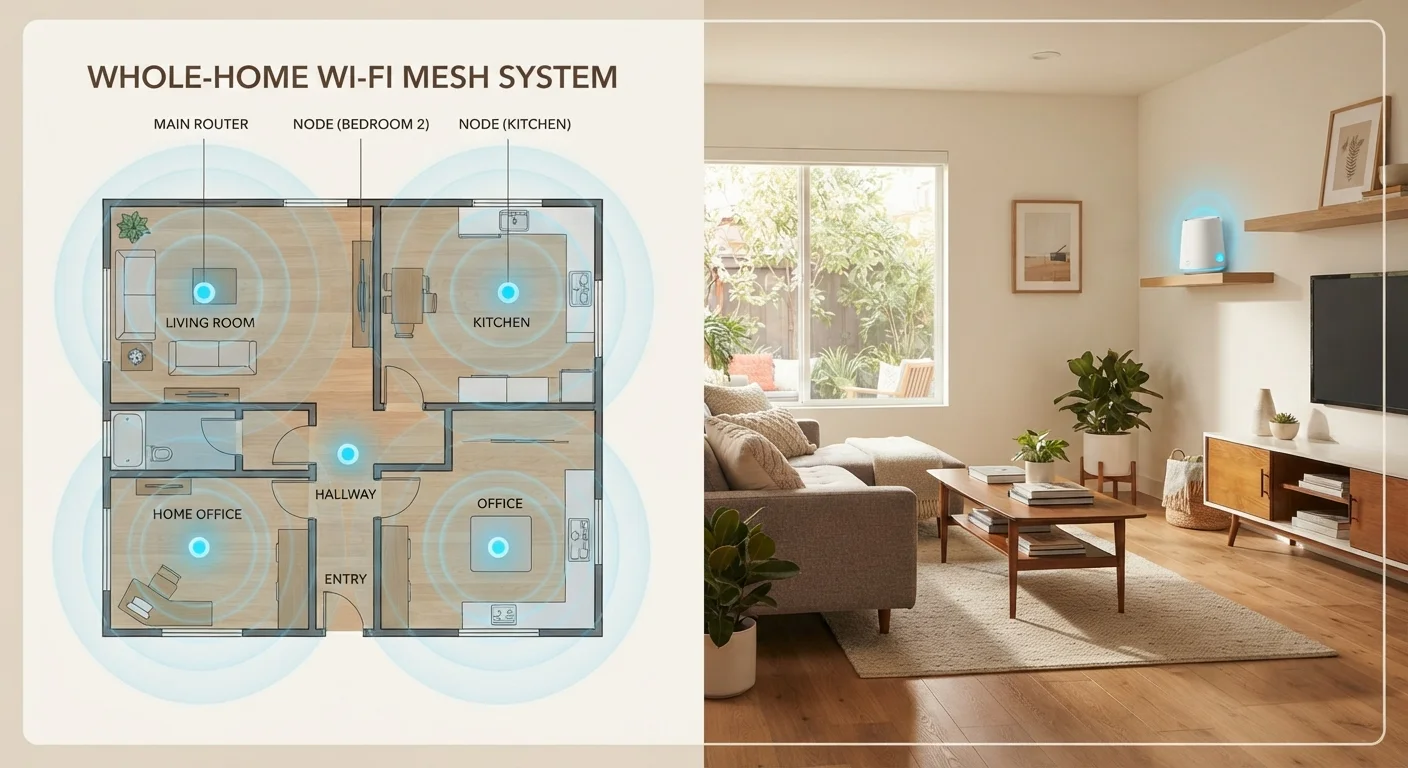
A mesh network system replaces that single broadcast point with a set of coordinated nodes. One node connects to your modem; the others are placed around your home and communicate with each other to create one unified network. Your devices automatically connect to whichever node provides the strongest signal as you move through your home.
Understanding how your home's layout affects your wireless signal is the single most important step before deciding between these two approaches.
| Criterion | Traditional Router | Mesh Network System |
|---|---|---|
| Upfront cost | Lower ($50–$200) | Higher ($150–$500+) |
| Ideal home size | Under 1,500 sq ft | 1,500 sq ft and above |
| Setup complexity | Simple, one device | Moderate, multiple nodes |
| Coverage consistency | Drops off with distance | Uniform throughout home |
| Multi-device handling | Limited by single access point | Load distributed across nodes |
| Roaming between rooms | Manual reconnect may occur | Seamless, single network name |
| Troubleshooting | One device to check | Multiple nodes to diagnose |
Coverage, Speed, and Real-World Performance
For most homes under about 1,500 square feet with an open floor plan, a single router placed centrally does the job well. Problems emerge in larger homes, multi-story layouts, or spaces with signal-blocking materials like concrete, brick, or metal ductwork.
Mesh systems shine precisely in those scenarios. Because each node acts as a full access point rather than just a signal repeater, you typically get more consistent speeds throughout the home. Traditional Wi-Fi extenders (a cheaper alternative) rebroadcast the existing signal, which can introduce latency and cut effective bandwidth in half.
~30%
Wi-Fi speed lost through a single interior wall
The FCC and networking researchers have documented that common building materials like drywall reduce 2.4 GHz and 5 GHz signals meaningfully, even over short distances.
25+
Average connected devices in a U.S. home
According to Deloitte's Digital Media Trends survey, the average American household has surpassed 25 connected devices, from phones to smart speakers to streaming sticks.
Speed at the router itself is rarely the bottleneck — signal degradation over distance and through walls is. That's why placement and system type matter more than raw router specs for most households.
Setup, Management, and Cost
Traditional routers are simpler to configure. You plug it in, connect to the modem, follow a brief setup wizard, and you're online. If something breaks, there's one device to troubleshoot. Most cost between $50 and $200 for a quality model.
Mesh systems are generally designed for user-friendly setup through a smartphone app, but they involve more hardware to place, more nodes to potentially troubleshoot, and a higher upfront cost — typically $150 to $500 or more depending on the number of nodes and coverage area. Some mesh systems also offer subscription-based features or automatic firmware updates managed through a companion app.
If you're starting from scratch with your home network, our step-by-step home Wi-Fi setup guide walks you through the full process for both router types.
What About Wi-Fi Extenders?
A Wi-Fi extender (also called a repeater or booster) sits between a traditional router and a dead zone, rebroadcasting the existing signal. It's cheaper than a full mesh system but comes with trade-offs: extenders typically create a separate network name, can cut effective throughput, and may introduce noticeable latency. For modest coverage gaps, an extender can work. For whole-home consistency, a mesh system is generally the more reliable solution.
Regardless of which system you choose, reviewing your home network security checklist after setup is a smart habit — default passwords and open settings are common vulnerabilities on both router types.
