
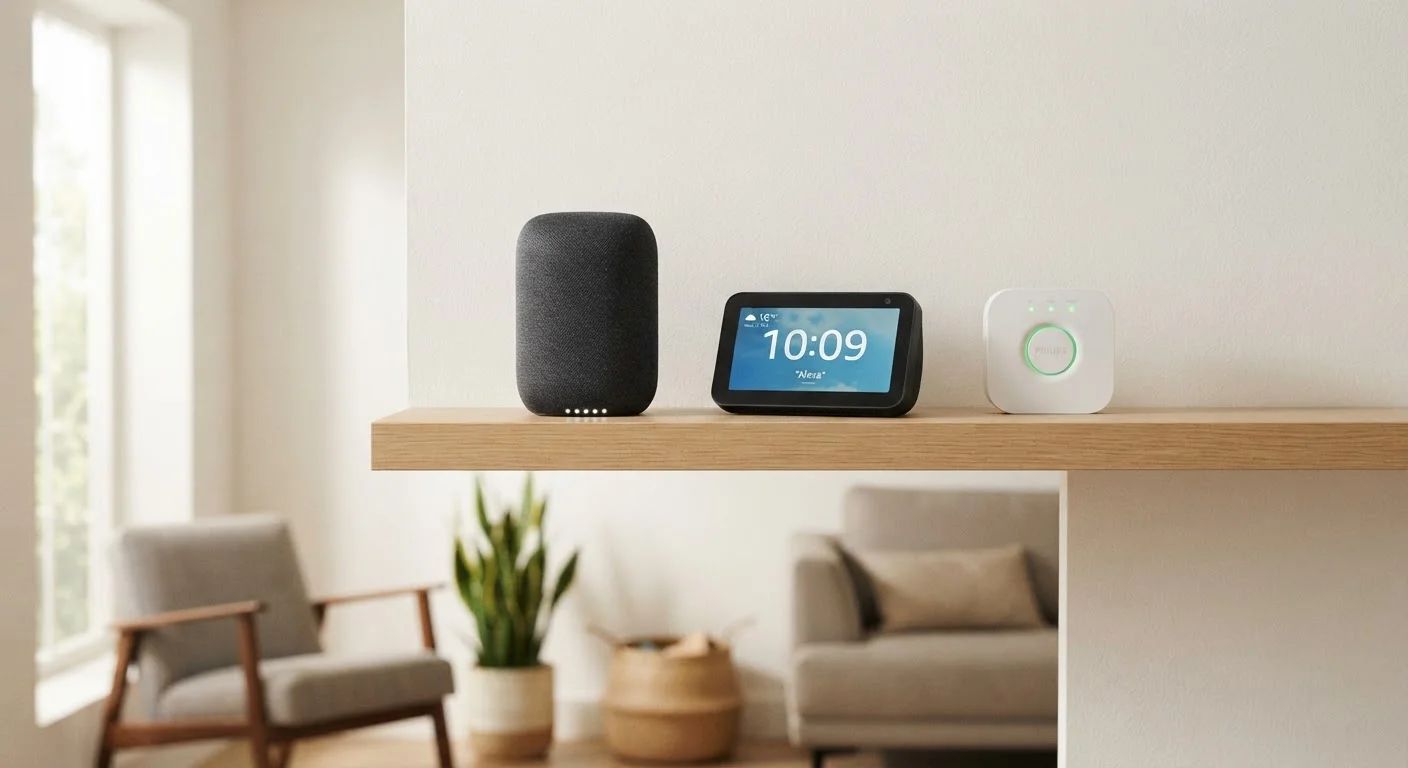
Why the Terminology Gets Confusing
Walk into any electronics section and you'll see devices marketed with overlapping labels: smart speakers that can control your lights, displays that double as hubs, and hubs that respond to voice commands. Manufacturers blur these categories intentionally, which makes it genuinely hard to know what you actually need.
The clearest way to sort through the confusion is to focus on primary function rather than brand or marketing language. Each device type has a core job — even when it borrows features from the others. If you're new to connected home tech, our article explaining what a smart home really is gives useful context before diving into specific hardware.
Smart Speakers: Voice and Audio First
A smart speaker's defining characteristic is its microphone array and speaker driver. It's designed to hear your voice from across a room and respond with audio — playing music, reading a news briefing, setting a timer, or sending a command to a connected device like a light or thermostat.
What smart speakers don't have is a screen. All feedback is delivered through sound. That's a deliberate design trade-off: a screenless device is less distracting, easier to place anywhere, and generally lower cost than its display counterpart.
Smart speakers connect to your home's Wi-Fi and relay commands through a cloud-based assistant (such as Alexa, Google Assistant, or Siri). They don't natively speak Zigbee or Z-Wave — the radio protocols many smart home sensors and switches use — so they depend on either Wi-Fi-native devices or a separate hub to reach those devices.
Start With One Device, Then Expand
If you're unsure where to begin, a single smart speaker or display is a low-risk entry point. Use it for a few weeks to understand what you actually want to automate or control visually. That real-world experience will tell you far more about whether you need a hub than any spec sheet will.
For a broader look at what these devices can and can't realistically do, see our piece on smart home device strengths and limitations.
Smart Displays: Screens Change the Experience
A smart display is essentially a smart speaker with a touchscreen bolted on. The assistant, the microphones, and the speaker are all still there — but now responses can appear visually. You can see a recipe step by step, watch a camera feed from your front door, make a video call, or tap icons to control your lights rather than saying commands aloud.
That visual layer matters more than it might sound. Many people find it easier to manage a smart home when they can see device status at a glance rather than asking and listening for a response. Displays placed in a kitchen or living room often become a natural dashboard for the whole household.
One important note: a smart display is not automatically a hub. It can control hub-connected devices, but it still relies on cloud servers to do so unless a separate local hub is handling the actual device communication. The distinction becomes clear the moment your internet goes down — a display without a local hub loses most of its control capability.
| Smart Speaker | Smart Display | Smart Hub | |
|---|---|---|---|
| Primary function | Voice control and audio playback | Visual + voice control interface | Device integration and automation |
| Has a screen | No | Yes | No (app-configured) |
| Speaks Zigbee / Z-Wave natively | No | No | Yes, on most dedicated hubs |
| Runs local automations | No — cloud dependent | No — cloud dependent | Yes, on most models |
| Works without internet | Very limited | Very limited | Core automations still run |
| Setup complexity | Low — plug and play | Low — plug and play | Moderate — app configuration required |
| Typical placement | Any room | Kitchen, living room, bedroom | Closet, shelf — out of the way |
| Good starting device? | Yes, for most beginners | Yes, if visual control matters | Not alone — pairs with others |
Smart Hubs: The Translators Your Home Actually Needs
A smart hub's job is fundamentally different from the other two. It's less about interacting with you and more about making your devices interact with each other. Hubs speak multiple wireless protocols simultaneously — Zigbee, Z-Wave, Thread, Wi-Fi, and sometimes Bluetooth — acting as a translator between devices that would otherwise be incompatible.
Critically, most dedicated hubs run automations locally, meaning the logic lives on the hub itself rather than on a company's server. If your internet is down, a well-configured hub can still turn on lights at sunset or trigger a sensor to lock your door. Cloud-dependent speakers and displays can't do this reliably.
Hubs typically don't have speakers or microphones — they're not conversational devices. They're configured through an app or a web interface and often require a bit more setup than a plug-in speaker. That said, the Matter standard (a newer connectivity protocol supported across major platforms) is slowly reducing the need for separate hubs in some setups, though dedicated hubs still offer deeper automation capabilities for most users. Our explainer on how smart home ecosystems and platforms work covers this in detail.
If you're dealing with devices from multiple brands that don't naturally talk to each other, see our guide on getting incompatible smart home devices to work together.
3+
Wireless protocols a typical hub supports
Most dedicated smart home hubs support at least Zigbee, Z-Wave, and Wi-Fi simultaneously, enabling broad device compatibility.
~60%
Smart home failures linked to cloud outages
Industry observers note that a significant share of smart home disruptions stem from cloud server issues rather than local device failures, underscoring the value of local processing hubs.
Choosing What Your Home Actually Needs
The question isn't which device is the most capable in isolation — it's which combination solves your specific friction points.
- If you mostly want voice control and music, a smart speaker is the lowest-friction place to start. It pairs easily with Wi-Fi-native devices and requires almost no configuration.
- If visual feedback matters — seeing camera feeds, viewing controls on a screen, making video calls — a smart display offers everything a speaker does plus that layer.
- If you're mixing device brands or using Zigbee/Z-Wave sensors, a hub is the piece that makes the whole system reliable. Without one, you'll likely hit compatibility walls.
- If you want robust automations that don't break when your internet is slow, a hub running local processing is hard to replace.
Many households end up with more than one device type. A smart display in the kitchen and a hub running behind the scenes is a common and practical combination. Avoid the mistake of assuming that buying the device with the most features listed on the box is the same as buying the one that fits your setup — a common pitfall covered in our article on common smart home setup mistakes.
Don't Assume 'Works With' Means Seamless
Many devices advertise compatibility with major platforms, but the depth of that integration varies widely. A device that 'works with' a smart speaker may only support basic on/off commands, not advanced automation triggers. Before committing to a hub-and-device combination, check that the specific features you want — not just basic connectivity — are actually supported.
