
You Don't Need to Own to Go Smart
A common misconception is that smart home technology is only worth pursuing if you own your home — because real customization requires drilling, rewiring, or replacing fixtures. In practice, that's not true. A wide range of genuinely useful smart devices work entirely without permanent modifications, making them well-suited for apartments, condos, and rented houses.
Before diving in, it helps to understand what a smart home actually involves. If you're new to the concept, our overview of what smart home technology really means is a good starting point. Once you understand the basics, choosing renter-friendly devices becomes much more straightforward.
The core principle for renters is simple: prioritize devices that plug in, sit on surfaces, or use existing sockets and light fixtures — and avoid anything that requires hardwiring or wall modifications your lease prohibits. Below are the categories of smart tech that genuinely work for renters, and what to think about before you invest.
Smart plugs: the easiest entry point
Smart plugs are the most renter-friendly smart home device available. They insert into any standard outlet and let you control whatever is plugged into them — lamps, fans, coffee makers, space heaters — via a smartphone app or voice command. No wiring, no installation, no landlord permission needed.
Beyond simple on/off control, most smart plugs support scheduling (set your coffee maker to run at 6:30 a.m.) and energy monitoring, which can help you identify appliances drawing more power than expected. Because they're completely portable, they're an investment that follows you from lease to lease.
Smart plugs turn any standard outlet into a controllable, schedulable power source — zero installation required.
Smart bulbs in existing fixtures
Standard light fixtures in most rentals use E26 screw-in sockets — the same size that smart bulbs use. Swapping in a smart bulb takes about 30 seconds and leaves zero trace when you move out, since you simply swap the original bulbs back in.
Smart bulbs give you remote control, dimming, scheduling, and in many cases color temperature adjustment (warmer light in the evening, cooler during work hours). They work independently or can be grouped by room for whole-apartment lighting control. The one limitation: if your fixture uses a dimmer switch, make sure any smart bulb you choose is rated as dimmer-compatible, or the light may flicker.
Smart bulbs screw into any standard fixture and come out just as easily — the ultimate renter-safe upgrade.
Wireless and battery-powered motion sensors
Motion sensors that mount with adhesive strips or sit on surfaces can automate lights, trigger alerts, or activate other smart devices without any drilling. Many use standard batteries or rechargeable USB power, so there's no wiring involved at all.
Common uses include turning on a lamp when you enter a room, triggering a smart plug to power up a fan when motion is detected, or sending a phone notification if motion occurs in an area when you're away. Adhesive mounts hold securely on most surfaces and remove cleanly — but test on a small hidden area first if you're concerned about paint.
Adhesive-mounted motion sensors can automate your lighting and security without a single screw in the wall.
Portable smart speakers and displays
A smart speaker or smart display is entirely plug-and-play — set it on a counter, plug it in, and it becomes the voice control hub for your entire setup. These devices can control compatible smart plugs, bulbs, and sensors; answer questions; play music; set timers; and manage routines like a morning alarm that gradually turns up lights.
Smart displays add a screen that can show security camera feeds, video calls, or step-by-step recipes while you cook. Neither requires any modification to your rental. If you move frequently, a single smart speaker can anchor your entire smart home setup, with other devices orbiting around it.
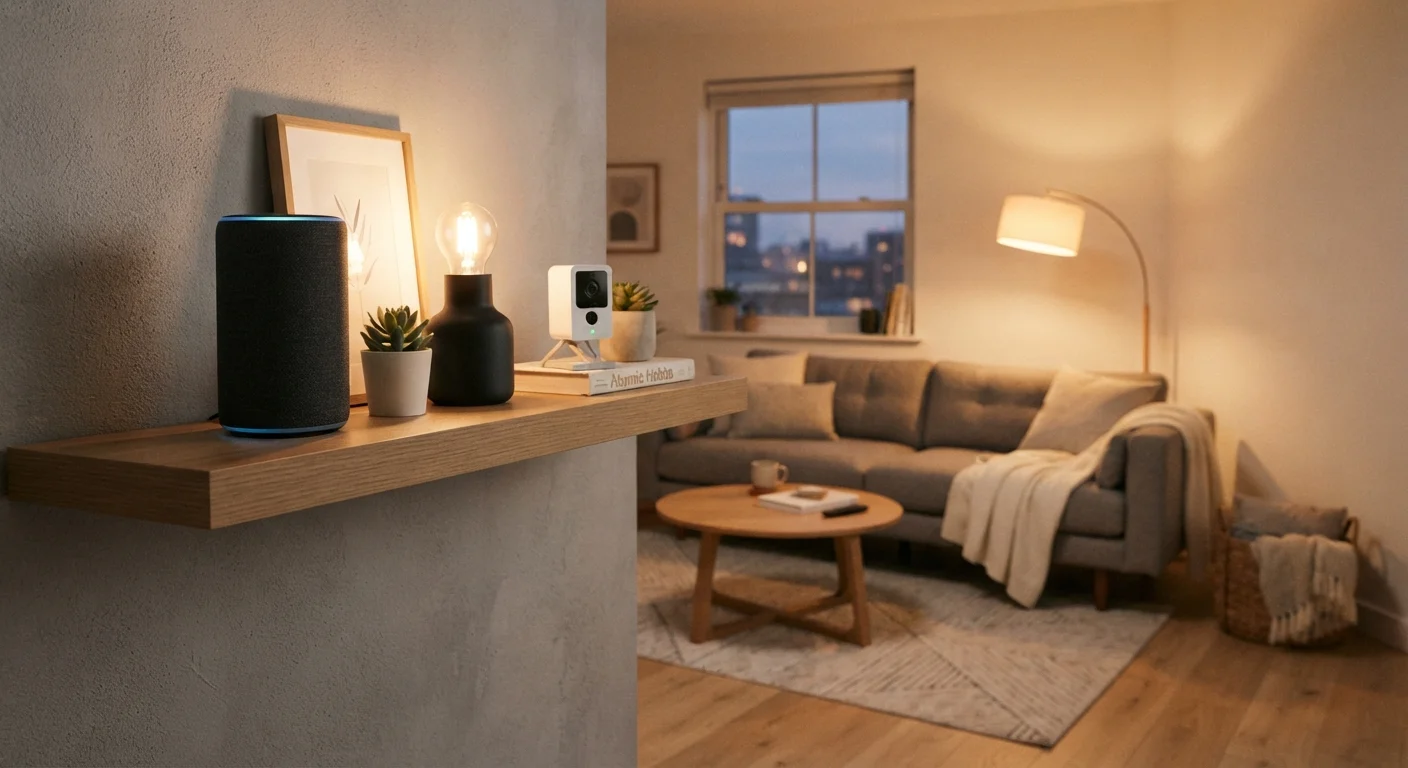
A smart speaker can serve as the central hub for your entire renter-friendly smart home setup.
Plug-in and battery smart security cameras
Indoor security cameras that plug into an outlet or run on rechargeable batteries provide monitoring without any permanent installation. Most connect via Wi-Fi and stream to your phone, with motion alerts, two-way audio, and cloud or local storage for recordings.
For outdoor monitoring, some battery-powered cameras use magnetic mounts or suction cups that attach to window frames without drilling. Indoor cameras placed near windows can also cover entryways. One important note: review your lease and local regulations around recording — in shared buildings with common areas, camera placement and recording policies may have restrictions.
Battery-powered and plug-in cameras deliver meaningful home security without drilling a single mounting hole.
Smart thermostats — with caveats
Smart thermostats are one of the most-cited smart home upgrades, but they're more complicated for renters. Most require replacing the existing thermostat, which is a modification that typically needs landlord approval. Some landlords will agree — especially if you offer to reinstall the original before moving out — but this requires a conversation first.
A more renter-safe alternative: smart plug-in space heaters and window AC units with Wi-Fi control, which deliver scheduling and remote control without touching the building's HVAC system. These are less energy-efficient than whole-home control, but they're fully within your control and require no approval. For a fuller comparison of smart home trade-offs for renters versus owners, this honest look at smart home ownership is worth a read.
Smart plug-in heaters and Wi-Fi AC units offer scheduling and remote control without touching the building's thermostat.
Robot vacuums and smart appliances
Robot vacuums are fully portable, require no installation, and can be scheduled or controlled remotely — making them one of the most practical smart home purchases for renters with hard floors or low-pile carpet. They sit in a corner when not in use and go where you go when you move.
Similarly, countertop smart appliances — air purifiers with app control, Wi-Fi-connected coffee makers, smart air fryers — add convenience without modification. These sit on surfaces, plug into outlets, and connect to your existing Wi-Fi network. While they may not feel as glamorous as lighting automation, for many renters they represent the highest everyday impact per dollar spent. For a broader look at what these devices genuinely do well and where they disappoint, this honest device breakdown is a useful reference.
Robot vacuums and smart countertop appliances deliver daily convenience with zero installation and full portability.
Making It Work Long-Term
Setting up smart devices is only part of the equation. Keeping them working well — and avoiding the frustration of incompatible apps and dropped connections — takes a bit of planning. One of the most important steps is choosing devices that operate within the same ecosystem so they can be managed from a single app or voice assistant rather than juggling five separate platforms. Common first-time smart home mistakes include skipping this step and ending up with a fragmented setup that's more trouble than it's worth.
Stick to One Ecosystem Where Possible
Before purchasing multiple smart devices, decide on a primary voice assistant platform — such as those built around major smart speakers — and check that new devices are compatible with it. Managing everything from one app and one voice command structure reduces friction significantly. Mixing platforms isn't impossible, but it often leads to the 'too many apps' frustration that makes smart homes feel like more work than they're worth.
It's also worth thinking about cost relative to actual benefit. Smart devices vary considerably in price, and it's easy to overspend on features you'll rarely use. If you're working within a household budget, reviewing your spending priorities before purchasing can help you focus on devices that genuinely improve daily life rather than novelty items that collect dust. Most renters find that a few well-chosen, interoperable devices deliver far more value than a larger collection of disconnected gadgets. And since everything recommended here is portable, your setup moves with you when you leave.
