
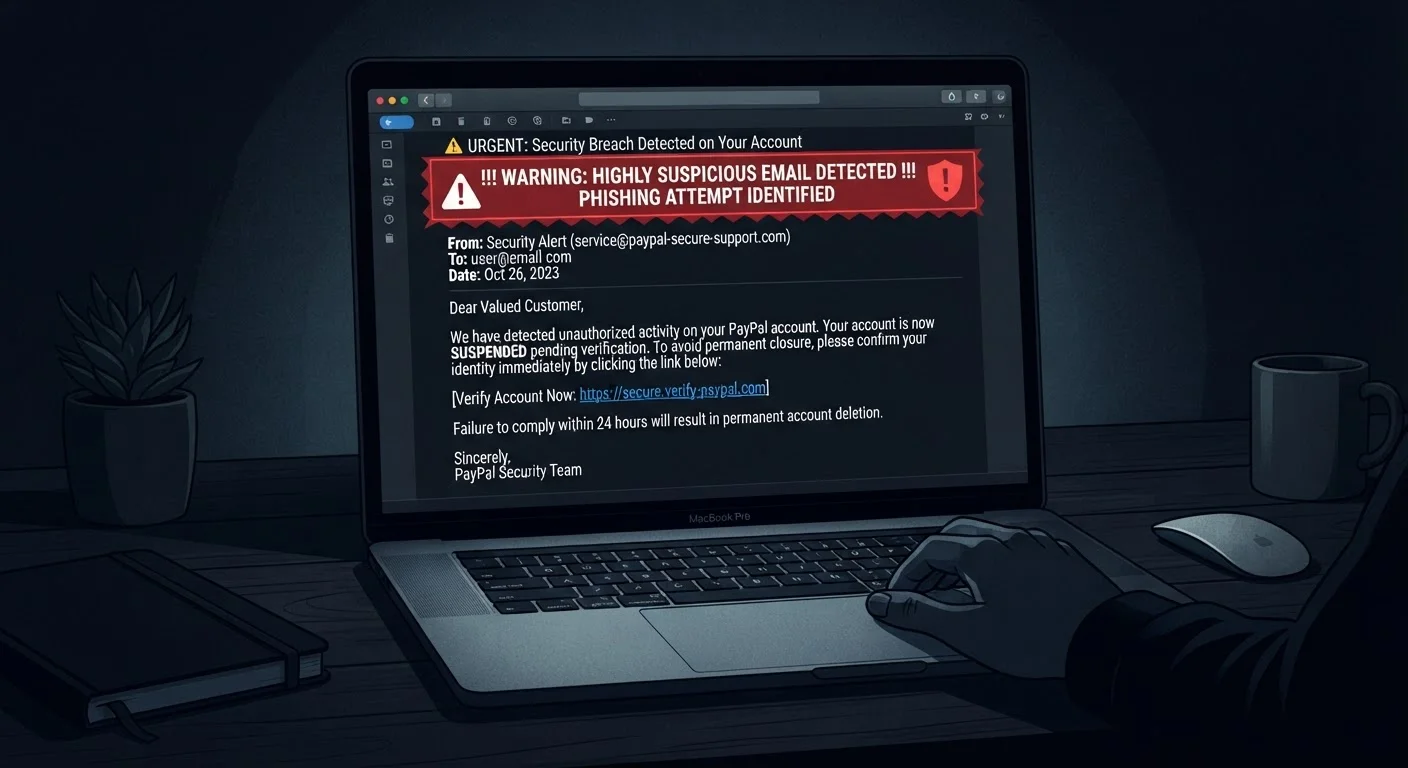
What Is a Phishing Email?
A phishing email is a fraudulent message designed to trick you into revealing sensitive information — passwords, credit card numbers, Social Security numbers — or into clicking a link that installs malicious software on your device. Attackers craft these messages to impersonate trusted sources: your bank, a delivery service, a government agency, or even a coworker.
Phishing is one of the most common entry points for identity theft and account compromise. Understanding how these emails are built is the first step to not falling for them. After reviewing the anatomy below, consider following up with a full security checkup of your online accounts to close any existing vulnerabilities.
| Primary goal of phishing | Steal credentials or install malware |
| Most common delivery method | Email (also SMS "smishing" and voice "vishing") |
| Top impersonated senders | Banks, shipping carriers, government agencies, tech companies |
| Key red flag | Mismatched sender domain behind a trusted display name |
| Safest immediate action | Do not click — report, then delete |
The Key Anatomy of a Phishing Email
Most phishing emails share a predictable structure. Here's how to break one down, element by element.
1. The Sender Address
The display name may read "PayPal Support" or "Amazon Customer Service," but the actual email address behind it tells a different story. Look for mismatched domains (support@paypa1-secure.com), extra subdomains (amazon.billing.verify-account.net), or completely unrelated domains. Hover over or tap the sender name to reveal the true address before trusting anything in the message.
2. The Subject Line
Phishing subject lines are engineered to provoke an immediate reaction. Common patterns include:
- Urgency: "Your account will be suspended in 24 hours"
- Fear: "Unauthorized login detected — act now"
- Reward: "You have a pending package delivery"
- Authority: "IRS Notice: Action Required"
Legitimate organizations rarely use alarm-driven subject lines that demand instant action.
3. The Salutation
Generic greetings like "Dear Customer," "Dear User," or no greeting at all are a red flag. Companies you actually have an account with typically address you by your registered name.
4. The Body Copy
Phishing body text often contains subtle grammatical errors, awkward phrasing, or slightly off-brand formatting. Attackers increasingly use AI to polish their messages, so grammatical perfection no longer guarantees legitimacy — but inconsistencies in logo sizing, font choices, or color still signal a forgery. Watch for mismatched branding.
5. The Call to Action (The Hook)
This is the most dangerous element. Whether it's a button labeled "Verify Now" or a linked phrase like "Click here to confirm your information," the destination URL is what matters. Hover over any link before clicking to preview the actual destination. If the URL doesn't match the organization's real domain exactly, don't click. The same scrutiny applies when shopping online — run through a pre-purchase checklist to avoid entering payment data on spoofed retail sites.
6. Attachments
Unexpected attachments — especially .zip, .exe, .docm, or .pdf files — are a classic delivery mechanism for malware. Do not open attachments from senders you didn't expect to hear from, even if the display name looks familiar.
Phishing
A cyberattack technique where fraudulent messages impersonate trusted entities to trick recipients into revealing sensitive information or installing malware.
Spoofed domain
A web address designed to closely resemble a legitimate domain — often with one letter changed or an extra word added — used to deceive recipients who don't inspect URLs carefully.
Social engineering
Psychological manipulation used by attackers to exploit human emotions like fear, urgency, or trust rather than exploiting technical vulnerabilities.
Two-factor authentication (2FA)
A security method requiring two forms of verification (e.g., a password plus a one-time code) to access an account, making it harder for attackers to gain entry even with a stolen password.
Smishing
Phishing attacks delivered via SMS text messages rather than email, often using fake package delivery or bank alert scenarios.
What to Do When You Spot One
If you receive a message that matches multiple patterns above, take these steps:
- Do not click any links or open attachments.
- Report it. Most email clients have a "Report phishing" or "Report spam" option. Use it — it helps train filters for everyone.
- Contact the organization directly by navigating to their official website yourself (not via any link in the email) or calling a number from their official site.
- Delete the message after reporting it.
If you've already clicked a link or entered credentials, change your passwords immediately on any affected accounts, enable two-factor authentication, and monitor your accounts for unauthorized activity. Keeping devices secure matters especially in shared environments — see our guide on keeping accounts secure on shared devices for additional steps.
The same psychological tactics phishers use — manufactured urgency, inflated stakes — also appear in deceptive marketing. Understanding how urgency and pressure tactics work in sales can sharpen your instincts across both contexts.
Phishing Is Getting More Sophisticated
AI-generated text has made poorly worded phishing emails less common. Modern phishing messages can be grammatically flawless and visually convincing. Focus on structural red flags — sender domain, link destination, unexpected attachments — rather than relying on typos as your primary signal. When in doubt, go directly to the source rather than engaging with the email at all.
